


Solitaire
4.5489.00 Reviews
App Specs
- Version
- 18.2.8
- Updated On
- License
- Free
- Downloads
- 1,000,000+
- Developer
- Conifer limited
- Categories
- Card
- Platform
- Android
Screenshots
 Analysis by AppCompare
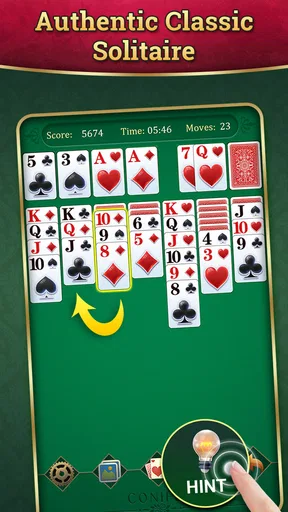
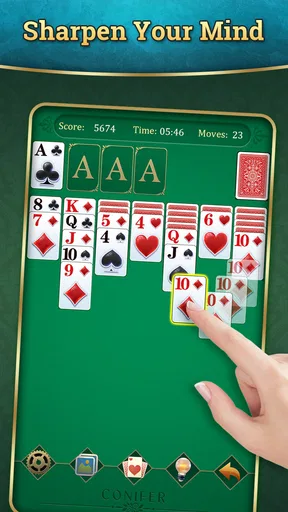
I like Klondike because it gives a small pause in the day a clear shape: look at the cards, choose a move, and see whether the position opens up. Conifer limited’s Solitaire is a free card game for that familiar kind of break, with a straightforward focus that suits both quick sessions and people who enjoy thinking several moves ahead. Its appeal is easy to understand, though the best fit depends on whether you want this particular version of solitaire or a broader collection of card games.
What free access means here
The game is free to download, so you can try its Klondike play without paying upfront. It also offers in-app purchases priced from $1.99 to $19.99 per item. I’d treat that as a reason to check the purchase options before spending, rather than assuming that every extra is necessary or that paying changes the core experience. The useful distinction is simple: access costs nothing, while optional purchases can add a separate expense.
That makes it easy to test whether the game suits your habits before putting money into it. If you only want occasional rounds, free access may be enough. If you are considering an in-app purchase, decide what you expect to get from it and whether that benefit matters to you; I wouldn’t buy anything simply because it is offered. The game is rated for Everyone, and it has an average rating of 4.5 from around 29,000 ratings, with more than a million installs. Those figures suggest a widely played option, but they don’t tell you whether its pace and style will match your own.
Where the value comes from
For me, the main value is having a familiar solo card game ready on a phone without an upfront charge. Klondike works well in short stretches because I can pause between decisions, then return when I have another minute. It is also a low-pressure choice when I want something more involving than scrolling but don’t feel like starting a long game with a complex rule set.
There’s a useful distinction between a game that keeps asking for your attention and one that lets you set the pace. Solitaire can fill a short wait, but it can also hold my focus when I want to sort through a difficult layout carefully. The value is not just the number of possible rounds; it’s that I can choose whether to play casually or concentrate on the next sensible move.
Trade-offs to keep in mind
Klondike is familiar, but that familiarity can become a limitation. If you want a deep campaign, a story, competitive matches, or a steady stream of new mechanics, this is not the kind of game I’d choose for that. Its appeal rests on repeating a compact card puzzle, so whether it stays interesting depends on how much you enjoy that loop.
The purchase range is another reason to be deliberate. Free access makes trying the game low-risk, but it doesn’t mean every extra is automatically good value for every player. I’d first spend time with the basic game and only consider paying if a specific option genuinely improves the way I play. If you prefer a completely purchase-free experience, a different solitaire app with no in-app purchases may suit you better.
Worth Reading Before You Choose

Flipboard Shows What News Apps Must Do Beyond the Feed

Switching to Android Auto Means Rethinking Your Driving Routine

Google Calendar Makes a Crowded Week Easier to Manage

Ludo King Makes the Most of the Minutes Between Plans

Baby Panda World Brings Quick Play to Modern Phones, but Its Game Library Feels Busy

ESPN’s Live Game View Makes Following Close Games Easier
How it fits into everyday play
One realistic use is a short wait when I have my phone out but no desire to start a conversation, watch a video, or open a game that needs a long uninterrupted session. A round gives me a modest focus task, and I can stop when the moment ends. For a commuter, someone waiting for an appointment, or a person taking a quiet break at home, that convenience is more relevant than flashy presentation.
A practical way to approach a round
I get more out of Klondike when I resist moving the first available card automatically. Before committing, I check whether a move reveals a hidden card or uses a free space that could matter later. That quick scan can prevent a tempting but unhelpful move from narrowing the choices. When a position gets tangled, I treat undo as a way to compare alternatives and learn what changed, rather than as a reason to move without thinking.
That approach is especially useful if you’re returning to cards after a long break. Instead of trying to remember every possible strategy, focus on what each move exposes and what flexibility it preserves. A phone screen makes it easy to act quickly, but taking a moment to inspect the tableau is often more valuable than tapping faster.
Choosing between solitaire options
Compared with a multi-game card collection, a focused Klondike game is a better fit when you already know which rules you want and don’t want to browse through a catalogue. A collection may be preferable if you regularly switch between several types of solitaire or want other card formats in the same app. Likewise, players who want competition or a changing objective should look for a game built around those goals instead of expecting classic solo play to provide them.
When comparing alternatives, I’d pay attention to the exact variant and how clearly the cards are presented on a phone, not just the app’s name. A familiar rule set can still feel frustrating if cards are hard to distinguish or moves are awkward. Here, the appeal is the recognizable Klondike format and simple card handling; if your priority is a wider range of modes, verify that the specific alternative actually offers the variety you want.
Who is likely to enjoy it
I’d recommend it to someone who likes a calm, self-paced puzzle, wants a quick way to occupy a few spare minutes, or is learning the basic rhythm of Klondike. It also makes sense for an experienced player who simply wants a familiar solo game on a phone. The game’s age rating is Everyone, so it is presented as suitable for a broad audience, though each person should still decide whether repetitive card play is right for them.
I’d steer away from it if you need constant novelty, multiplayer interaction, a narrative, or a more strategic card game with different rules. It may also be a poor match if in-app purchase offers are something you prefer to avoid entirely. In that case, another option with the specific play style or purchase approach you want is a better choice than hoping this one will become a different kind of game.
What to expect before installing
The current version is 18.2.8, and the listed minimum Android requirement is 6.0. If you’re choosing a game for an older device, checking that requirement first can save time. The game was released on June 15, 2020, and its continued presence is reflected in its large player base, but I would still judge it by whether the basic Klondike experience feels comfortable on your own screen.
For a first session, I’d play a few rounds without buying anything and notice what I actually want: a faster way to make moves, a different look, or simply the same quiet routine. That helps separate a genuine need from an impulse purchase. If the basic game already gives you the short, thoughtful break you wanted, there may be no reason to spend at all.
My buy-or-skip verdict
I’d try this one if I wanted free access to a familiar card puzzle and was happy to keep the experience centered on solo Klondike. The low commitment makes it practical to see whether the controls and pace suit me, while the purchase options are something to consider only after I know what I value. It is not my pick for someone seeking a broad card library, social play, or a progression-heavy game.
Overall, I see it as a sensible choice for short, quiet sessions rather than a game that promises endless variety. Conifer limited has a well-established release here, with an average rating of 4.5 and around 489 written reviews, but the deciding question is personal: do you enjoy returning to the same kind of card puzzle? If you do, the free starting point is appealing. If you don’t, a different style of card game will probably give you better value.
Hey there! So, I recently took a deep dive into the world of Solitaire on my phone, and let me tell you, it’s not just your grandma’s card game anymore. If you’re looking for a fun way to pass the time or just need a little brain workout, this app might just be your new best friend.
Getting Started with Solitaire
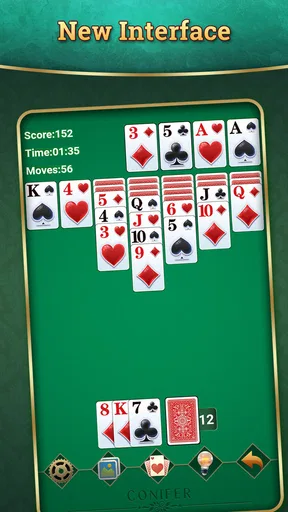
First things first, downloading and setting up the Solitaire app was a breeze. Available for both Android and iOS, you can find it in the app store, and it’s free to download. Once you’ve got it on your phone, you’re greeted with a clean, user-friendly interface that’s incredibly easy to navigate. No tricky setups or tutorials you need a degree to understand.
Classic Gameplay with a Twist
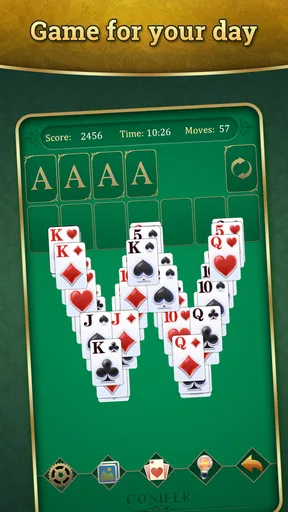
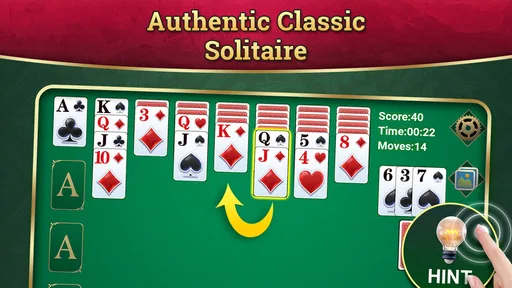
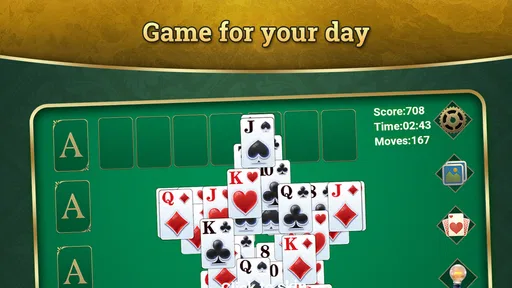
Now, onto the gameplay itself. This isn’t just your traditional Solitaire game. Sure, you have the classic Klondike version that we all know and love, but there are also variations like Spider, FreeCell, and Pyramid. Each variant offers its own unique challenge, which is perfect if you like to mix things up a bit.
The game’s mechanics are smooth, and the cards are easy to move with a simple tap or drag. Plus, there’s a nifty undo button for those "oops" moments when you realize you’ve made a wrong move.
Features You’ll Love
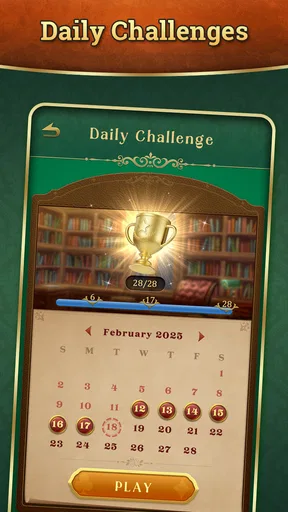
One of my favorite features is the daily challenges. They’re a great way to keep things fresh and exciting, plus they give you the chance to earn rewards. Who doesn’t love a little incentive to keep playing?
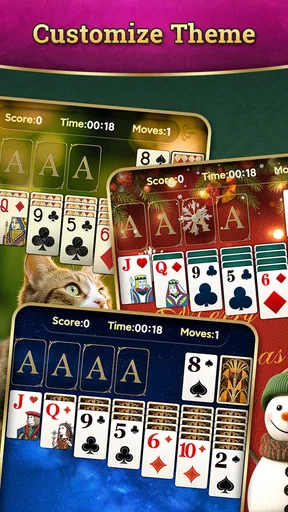
Another cool feature is the customization options. You can change the card backs and backgrounds to suit your mood or style. Feeling like a beach day? There’s a theme for that. Want to keep it classy with a classic green felt table? You got it.
Playing Anywhere, Anytime
Whether you’re on a quick coffee break or just lounging on the couch, Solitaire is the perfect companion. You don’t need Wi-Fi to play, which means you can enjoy a game (or ten) wherever you are. The app runs smoothly without draining your battery life, which is a huge plus in my book.
Why You Should Try It
If you’re someone who enjoys a little mental exercise or just loves a good card game, this app is a must-try. It’s simple enough for beginners to pick up, but challenging enough to keep seasoned players engaged. Plus, it’s a fantastic way to relax and unwind after a long day.
So, whether you’re a Solitaire newbie or a card game aficionado, this app offers something for everyone. Trust me, once you start playing, it’s hard to stop!
Overall, the Solitaire app brings a modern twist to a classic game, making it both accessible and enjoyable for players of all ages. Happy playing!
Pros
- Easy to learn
- perfect for quick play.
- Offline mode available for no data use.
- Customizable themes and card designs.
- Daily challenges keep gameplay fresh.
- Intuitive controls for seamless play.
Cons
- Ads can be intrusive at times.
- Limited multiplayer options.
- In-app purchases for extra features.
- Occasional lag on older devices.
- No cloud save for progress tracking.
FAQs for Solitaire
What are the system requirements for Solitaire on Android and iOS?
To run Solitaire smoothly on your device, ensure that your Android version is at least 5.0 (Lollipop) or later. For iOS users, the app requires iOS 10.0 or later. Additionally, a minimum of 100MB of free storage space is recommended to avoid performance issues.
Is Solitaire free to download and play?
Yes, Solitaire is free to download and play. However, the app may offer in-app purchases for additional features, themes, or ad-free experiences. Be sure to check these options in the app store if you prefer an uninterrupted gameplay experience or want to customize your game.
Can I play Solitaire offline?
Absolutely! Solitaire can be played offline, making it a perfect choice for times when you don't have an internet connection. Just make sure the game is fully downloaded and installed on your device. Note that some features, like leaderboard updates, may require a connection.
Are there different versions or variations of Solitaire available?
Yes, the app often includes multiple variations of Solitaire such as Klondike, Spider, and FreeCell. Each variation offers unique rules and challenges, providing a diverse gaming experience. You can switch between these versions within the app to find your favorite or try something new.
How can I remove ads from Solitaire?
To remove ads from Solitaire, you typically have the option to make a one-time in-app purchase. This will grant you an ad-free experience, allowing you to enjoy uninterrupted gameplay. Be sure to check the app's settings or store page for details on how to purchase the ad-free version.


